


HomeSphere-HQ Reports
The following HomeSphere-HQ reports offer general insight into your rebate income.
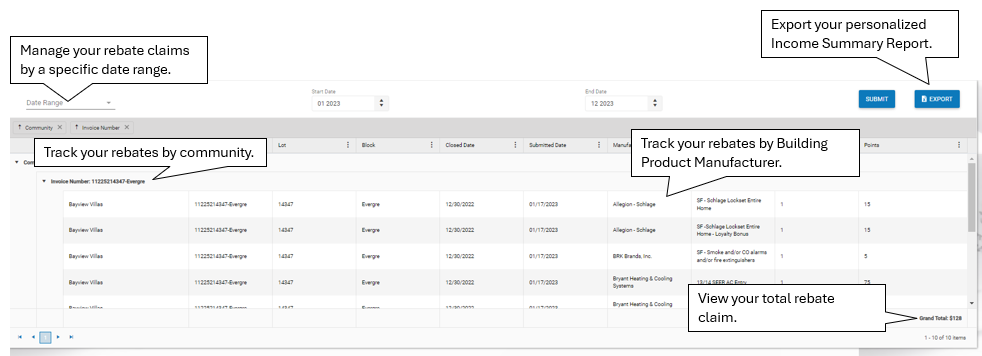
For a complete rebate check summary, check your personalized Income Summary Report in your account in HomeSphere-HQ.
Income Summary Report
The Income Summary Report provides a summary of incentives paid out across each of your communities. The incentives listed represent the dollar amount paid based on the brands and products reported in your submitted closings. These amounts may vary in the future depending on product and brand usage.
Rebate Distribution Report
The Rebate Distribution Report provides a monthly closing breakdown showing rebate distribution percentage by brand. Closing counts and percentage may change if adjustments are made.

Have More Than One HomeSphere-HQ Account?
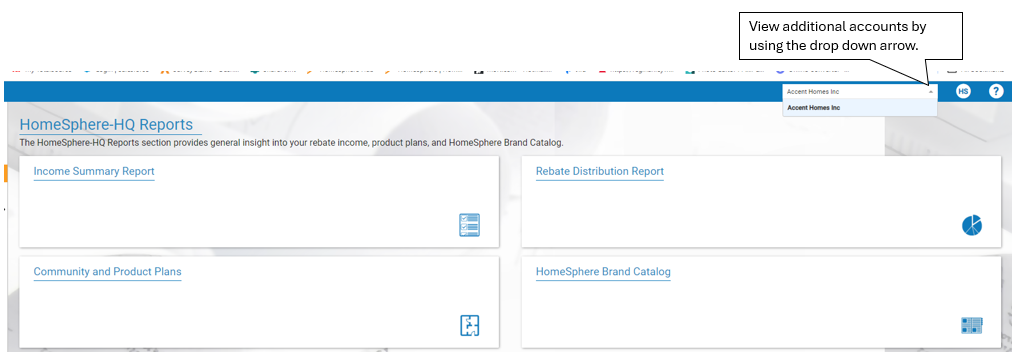
To view multiple accounts in HomeSphere-HQ, use the drop-down arrow in the upper right-hand corner to view additional accounts.
Still not finding what you need, contact your dedicated HomeSphere Market Specialist Manager. Contact information can be found within the RMS Locator in your HomeSphere-HQ account.